
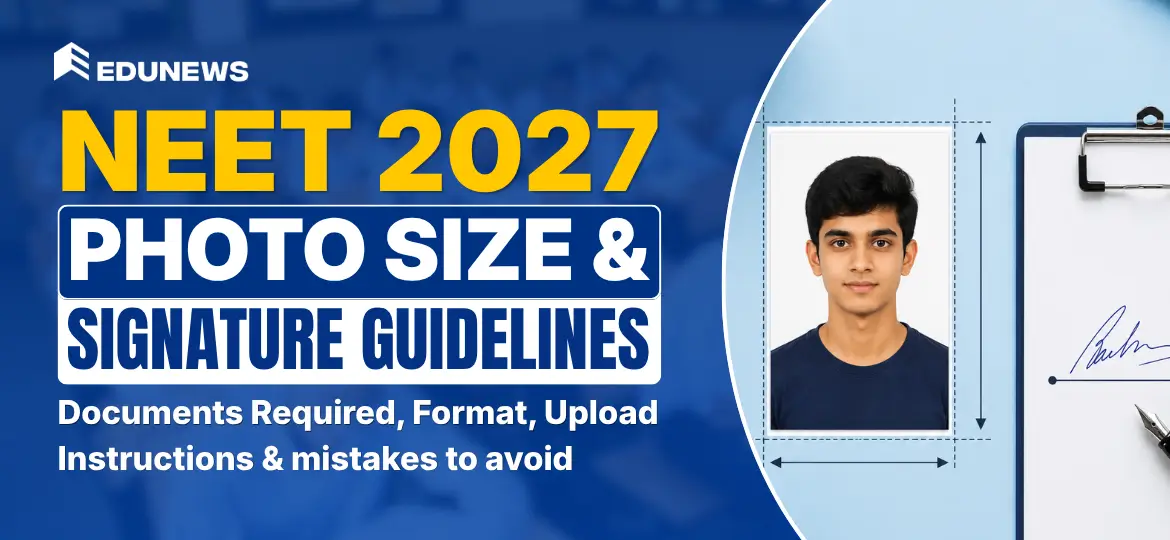
The National Eligibility cum Entrance Test (NEET) is India’s most significant medical entrance examination, determining admissions into MBBS, BDS, and other medical programs across the country. The National Testing Agency (NTA) mandates strict rules for images uploaded in the application form. That is why candidates must follow the official NEET photo guidelines 2027 to avoid rejection.
Many applications are rejected each year due to incorrect NEET 2027 photo size, wrong background colour, or improper formatting. To avoid such issues, candidates must follow the prescribed guidelines for both passport-size and postcard-size photographs. This article provides a complete breakdown of the NEET 2027 photo size, format, required documents, and step-by-step instructions for uploading photos in 2027.
NEET 2027 Photo Specifications
Candidates need to submit two types of photographs:
- Passport-size photo for NEET 2027 – Required for online application submission.
- Postcard-size photo for NEET 2027 – Required for submission/verification at the examination centre (as per NTA instructions).
Passport-size Photo for NEET 2027
The passport-size photo for NEET 2027 must be recent and uploaded in the required file format. Make sure you follow the official NEET passport-size photo dimensions and file-size limits.
| Requirement | Details |
| NEET Passport Size Photo Dimensions (in inches) | 3.5 × 4.5 cm |
| File Size | 10 KB to 200 KB (NEET photo jpg size 10 KB to 200 KB) |
| Format | JPEG/JPG (NEET photo format jpg/ jpeg) |
| Background | White (NEET photo background colour) |
| Date of Capture | Recent (after January 1, 2027) |
| Face Visibility | 80% face coverage, clear ears visible |
| Glasses | Allowed if regularly used (no glare) |
| Caps/Goggles | Not permitted |
| Polaroid/Edited Photos | Not accepted |
Ensure that the passport-size photo has the candidate’s name and date of capture printed at the bottom. This helps with verification and avoids mismatches during document checking.
Postcard-size Photo for NEET 2027
The NEET postcard-size photo 2027 should be the same image as the passport photo. Many students search online for NEET postcard-size photos for NEET example, but the safest option is to follow the standard dimensions and take multiple prints from the same studio session.
| Requirement | Details |
| NEET Postcard Size Photo Dimensions (in inches) | 4 x 6 inches (NEET postcard size photo dimensions) |
| File Size | 10 KB to 200 KB |
| Format | JPEG/JPG |
| Background | White |
| Face Visibility | 80% face coverage, clear ears visible |
| Additional Copies | Keep 4-6 copies for future use |
The NEET exam postcard-size photo must be the same as the passport-size photo, so take multiple copies during the photography session to avoid last-minute issues.
NEET 2027 Signature Guidelines (Size, Format & Upload Rules)
Apart from the photograph, candidates also need to upload their signature. Many mistakes happen in this step due to incorrect NEET 2027 signature size, wrong file format, or blurred signature. Follow the official NEET photo and signature format rules properly.
| Requirement | Details |
| NEET Signature Size (in KB) | 10 KB to 200 KB (NEET signature size in KB) |
| Format | JPEG/JPG (NEET signature format JPG) |
| Background | White (NEET signature background white) |
| Clarity | Signature must be clear, not blurred/pixelated |
| Style | Use normal running signature (avoid full-name typed sign) |
This signature section is important because it directly affects verification. If you are confused about how to upload a signature in the NEET form, follow the same steps as the photo upload, but ensure the file is clean and readable.
NEET 2027 Documents Required (Photo, Signature & Other Files)
Before filling out the form, keep all documents ready. This reduces errors and helps you complete the process smoothly. Students often search for NEET 2027 documents required and documents required for NEET 2027 registration, so here is a quick checklist.
- Passport-size photo for NEET 2027 (JPG/JPEG)
- Postcard-size photo for NEET 2027 (same as passport photo)
- Signature upload for NEET 2027 (JPG/JPEG)
- Valid ID proof (NEET photo identity proof documents)
- Other application files as required by NTA (NEET application documents list)
Why Following NEET Photo Guidelines is Important?
- Incorrect photo sizes or formats may result in application rejection (NEET photo rejection reasons).
- A properly formatted image ensures that candidates do not face issues at the exam centre.
- Meeting the specifications reduces the chances of needing corrections later (NEET form photo correction).
- Following official NTA guidelines helps maintain fairness and uniformity for all applicants.
NEET 2027 Photo Upload Requirements
These are the key NEET photo upload instructions 2027 candidates must follow:
- The photograph should be scanned properly with high resolution.
- The background should be plain white, ensuring no shadows on the face.
- The face must be clearly visible, covering 80% of the photograph area.
- The image should not be blurry, pixelated, or tampered with.
- The uploaded photo should be in JPEG/JPG format and within the required file-size range.
How to Take the Perfect NEET Photo?
- Use a high-quality camera – Either a professional camera or a smartphone with a high-resolution camera.
- Choose a well-lit area – Avoid shadows or overexposure. Natural light works best.
- Maintain a neutral expression – Avoid extreme expressions to prevent rejection.
- Wear normal clothing – Avoid uniforms or clothes that blend into the background.
- If needed, check verified examples online to avoid confusion.
- Visit a professional studio if unsure – Most studios know NEET photo size rules.
Step-by-Step Guide to Resizing and Uploading Photos
1. Capture a High-Quality Photograph
- Use a professional camera or a high-resolution smartphone.
- Ensure proper lighting to avoid overexposure or underexposure.
2. Transfer the Photograph to a Computer
- Use a USB cable, email, or cloud storage to move the image from your phone or camera.
3. Resize the Photograph as Per NEET 2027 Guidelines
- Open an image editing tool such as Photoshop, MS Paint, or an online image resizer.
- Adjust the dimensions (2.5 x 3.5 inches for passport size and 4 x 6 inches for NEET postcard size photo).
- Ensure that the file size remains between 10 KB and 200 KB.
4. Save the Image in the Correct Format
- Save the image as a JPEG/JPG file.
- Make sure the file is not corrupted before uploading.
5. Upload the Photo on the NEET 2027 Application Portal
This is where students often search: how to upload a photo in NEET 2027 or NEET photo upload step by step. The process is simple:
- Log in to your NEET application form.
- Navigate to the photograph upload section.
- Select and upload the resized photograph.
6. Preview and Confirm
- Verify that the uploaded image is clear and meets all specifications.
- Save the application before final submission.
NEET 2027 Photo & Signature: Common Mistakes to Avoid
These are the most common reasons behind rejection and correction requests. Avoid these issues to stay safe from last-minute trouble:
- Submitting a black-and-white photograph instead of a coloured one.
- Using an old photograph taken before January 1, 2027.
- Selecting a background other than plain white (coloured or patterned backgrounds are not allowed).
- Uploading a blurry, pixelated, or distorted image (blurry photo upload NEET).
- Wearing accessories such as caps, goggles, or tinted glasses.
- Using a selfie instead of a proper photograph.
- Incorrect resizing or cropping leading to incorrect NEET photo size (wrong photo size NEET application).
- Uploading photo/signature outside the allowed range of 10 KB to 200 KB.
- Forgetting the name/date printing on the photo (if asked by NTA).
- Uploading different images for passport-size and postcard-size photos.
- Signature not matching your usual signature (NEET signature mismatch problem).
The Takeaway
The NEET 2027 photo and signature upload guidelines play an important role in ensuring a smooth application process. By carefully following NTA instructions for NEET 2027 photo size and NEET 2027 signature size, candidates can reduce the risk of rejection and avoid unnecessary corrections later.
Submitting a clear photo, maintaining a neutral expression, using a plain white background, and uploading the correct file format will help you complete the application without errors.
FAQs
The passport-size photo should be 2.5 x 3.5 inches, and the postcard photo size is 4 x 6 inches.
The signature should be uploaded in JPG/JPEG format and must remain within the allowed file size range (usually 10 KB to 200 KB) with a clean white background.
A recent coloured photograph with a plain white background in JPEG/JPG format is required.
Yes, spectacles are allowed, but there should be no glare or reflection on the lenses.
The photograph should be recent, taken on or after January 1, 2027.
